
Start a room
- Private room
Create a room and send its six-character code or invite link to your friends.
- Join a room
Type the code from your host, or open their invite link.
- Local network
One computer runs
npm run server:mp(port 8792); everyone on the same network picks Local network and plays through it.
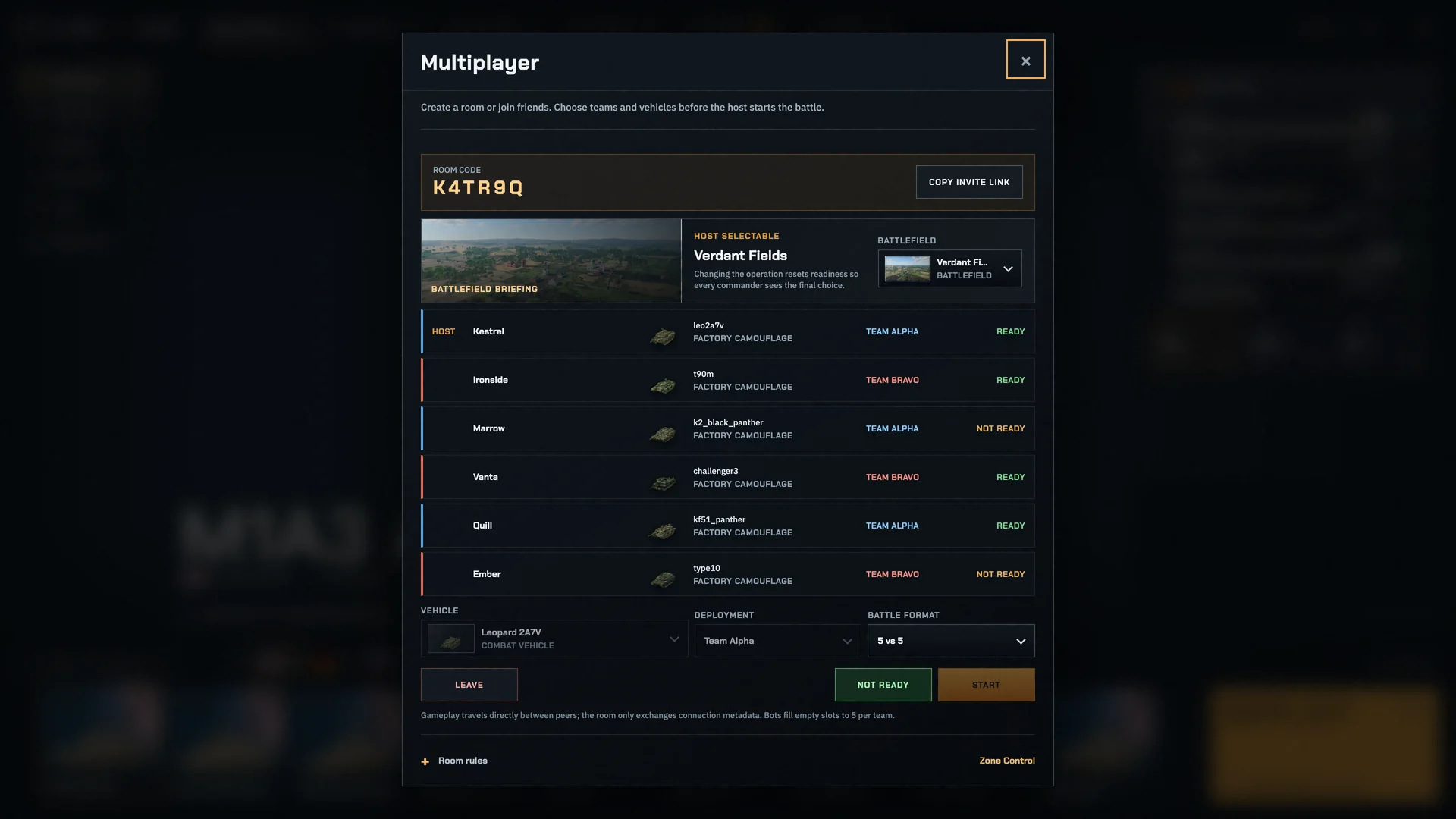
Seats
Two sides and a gallery. The room sets its team size; empty seats can fill with bots.
- A room holds up to 28 players and 8 spectators.
- New players join the smaller side; the room's creator can lock team switching.
- Empty seats fill with bots unless the room turns that off.
- Everyone brings their own tank, camouflage and up to 3 equipment items; two players can pick the same tank.
- Names are up to 24 characters; a name already taken gets a number.
Modes
A room plays any battle mode; the Proving Ground stays solo.
In Endless Horde and Frontline Assault, everyone deploys on one side, up to 7 players, against the waves.
Ready up
- 1
Pick your tank, camouflage and equipment, then press Ready.
- 2
The room's creator starts the battle once every connected player is ready.
- 3
The creator's browser hosts the battle; on a local network, the helper does.
Leaving and rejoining
Drop out and your seat waits 5 minutes; open the link again to take it back.
If the host's browser goes away, the room hands the battle to another player within 8 s and play goes on.
If the creator leaves, the room's settings pass to the longest-seated player after 30 s.
A room closes 24 hours after its last message.
Room chat keeps the last 48 messages, up to 240 characters each.
Fair play
The host decides every hit, reload and result; the others send only their controls.
You receive only the enemies your team has spotted: a hidden tank's position never reaches your browser.